What's new
The What's new tab describes what each version has brought, from newest to oldest: the version number, the date, a title and what changes. See more expands the full text and, where there is one, Read the article opens the full explanation on the website.
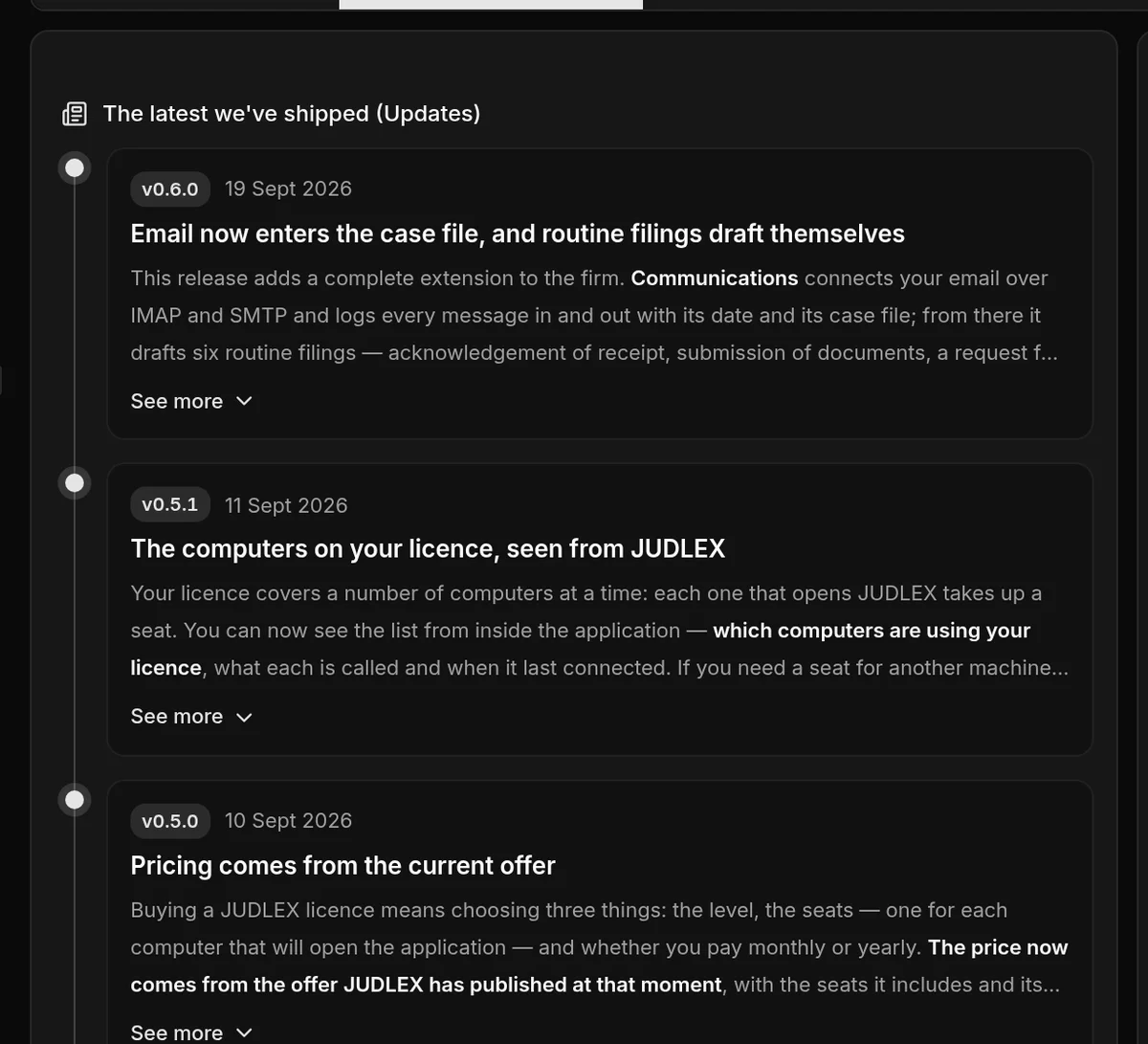
When you are offline, JUDLEX shows the release notes it came with when it was installed.
Documentation inside JUDLEX
The Documentation tab is this same documentation, so you can read it without leaving the app:
On the left, the search box and the index of all articles.
On the right, the article, with Previous and Next to go through them in order, and Open it on the web to open it in your browser.
At the end of each article, Was this page helpful? Your answer helps us know what needs explaining better; all that is sent is which page it was, in which language and whether it helped.
The first time, you need an internet connection. After that, as long as JUDLEX stays open, you can keep reading without one.
If you change the JUDLEX language, the documentation changes with it. An article that has not been translated yet is shown in the other language, with a notice.
Sharing
If you want to recommend JUDLEX to another firm, the Share tab has a ready-written text with the link to the website.
Copy text copies it so you can paste it wherever you like.
The Share on buttons open WhatsApp, X, Telegram, Gmail, Yahoo, Facebook, LinkedIn, Reddit or Bluesky in your browser, with the text already filled in. Nothing is posted until you send it from there.
The text is in whichever language you have set in JUDLEX.