Settings → Deadlines and calendar stores what the deadline worksheet uses to count a deadline: which days count in each jurisdiction and which days are holidays for your firm.
JUDLEX never counts a deadline on its own. You ask for the count from a date in the case file, see it in full and sign it: Count a deadline.
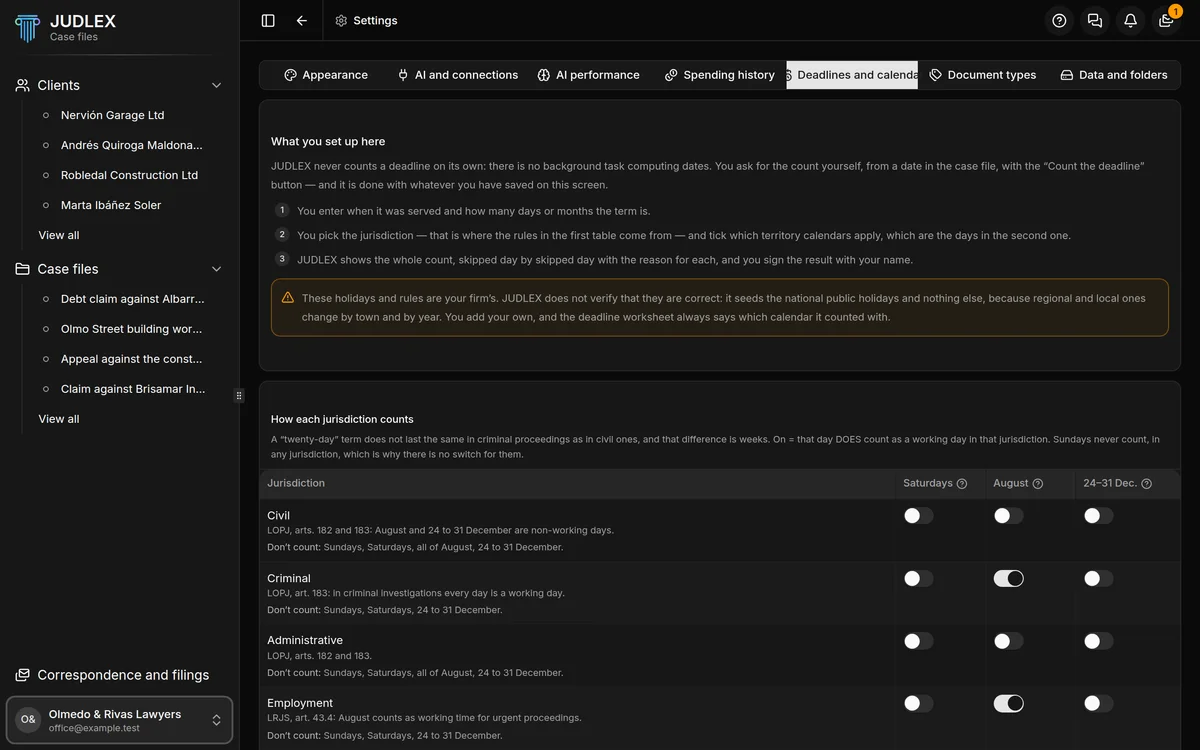
How each jurisdiction counts
One row per jurisdiction — civil, criminal, contentious-administrative, employment, commercial and administrative — with three switches: Saturdays, August and 24–31 Dec. On means those days do count as working days in that jurisdiction. Sundays never count.
Under each jurisdiction you see the article the rule comes from and which days do not count. Hover over the question mark on each column and it explains when it applies.
Every change is saved straight away.
Non-working days
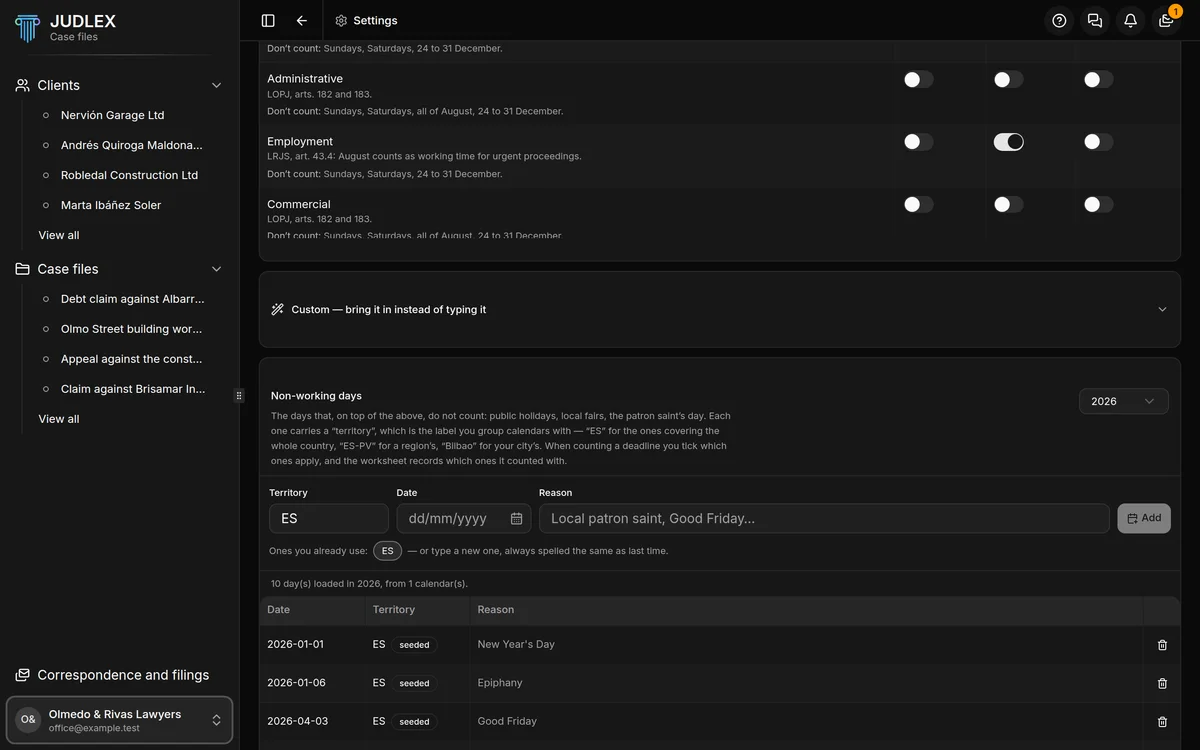
The days that, on top of the above, do not count: public holidays, local holidays, the patron saint’s day. Each day carries a territory, a label you use to group calendars: “ES” for the ones covering the whole country, “ES-PV” for a region’s, “Bilbao” for your city’s. When you count a deadline, you tick which territories apply.
To add a day: Territory, Date and Reason, then Add. Always type the territory the same way; the ones you already use are shown underneath.
The selector at the top changes the year.
The bin removes a day. It asks for confirmation. A default holiday you remove does not come back on its own.
Bringing in holidays instead of typing them
Custom — bring it in instead of typing it offers three ways. First choose, in Territory the imported days go to, which territory the days will go to.
A document you already have: Choose the file…. Calendar files and comma-separated lists of dates are read without artificial intelligence and cost nothing. A PDF, an image, a Word document or an Excel spreadsheet is read with artificial intelligence, using your firm’s key.
An address where it is published: paste the address of the official gazette or town council page and click Fetch.
Where do you practise?: choose the country, type the province, city or judicial district and click Point me there. Artificial intelligence tells you where the official calendars are published and which rules usually apply in those jurisdictions, but it never gives you dates. If a rule suits you, Set it that way applies it to the table above. It uses your key and costs money.
What you bring in stays as a proposal, with its date, its reason and where it comes from. Nothing goes into the calendar until you click I confirm them. When it finishes, the screen tells you whether reading it cost anything.
Bringing in holidays with artificial intelligence and Point me there need an active licence.