There are two ways to put a case file out of the way, and they are nothing alike. Archiving loses nothing. Deleting takes everything with it and cannot be undone.
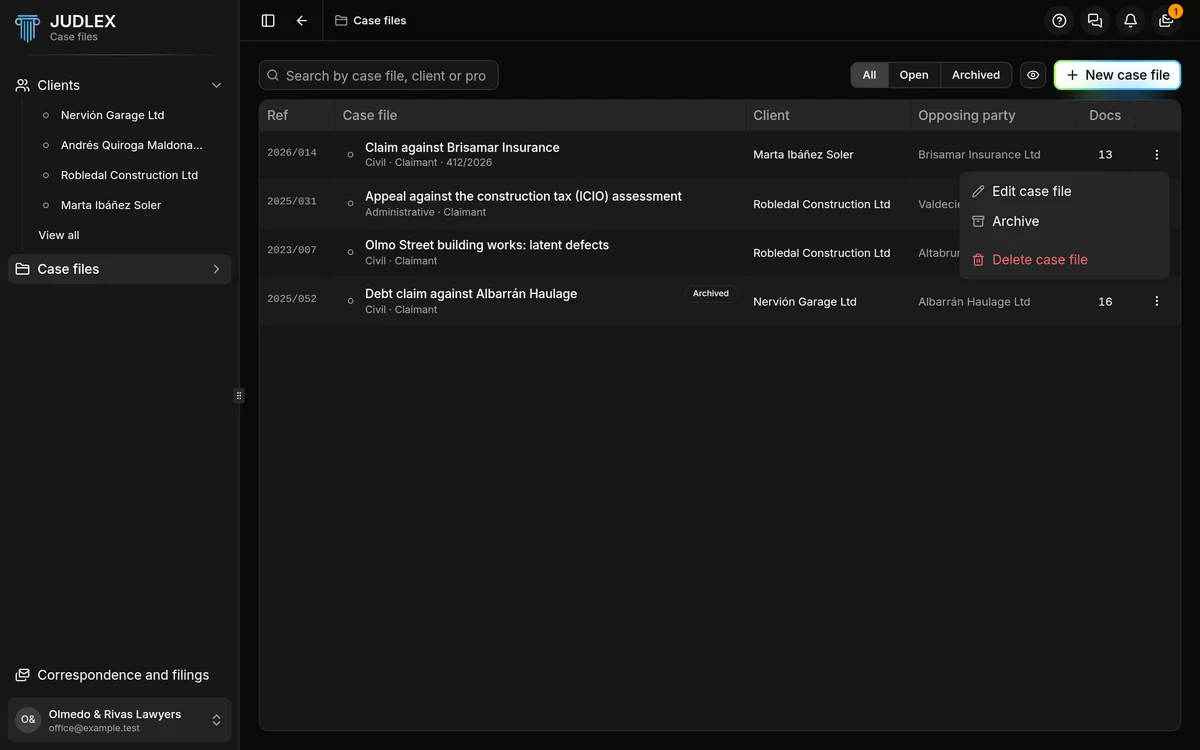
Both are in the three-dot menu on the row, in the Case files list, and in the More options button of each case file in the sidebar.
Archiving
Archive marks the case file as finished. It does not delete or move anything: its exhibits, parties, facts, dates and conversations stay where they were, and you can open and consult it just as before. In the list and on its page it carries the Archived label, and the Open filter leaves it out.
It happens as soon as you click, without asking, because there is nothing to lose. To undo it, click Reopen in the same menu.
Deleting
Delete case file (Delete in the sidebar) removes it for good. Before doing so, JUDLEX counts exactly what is going to be lost and shows you:
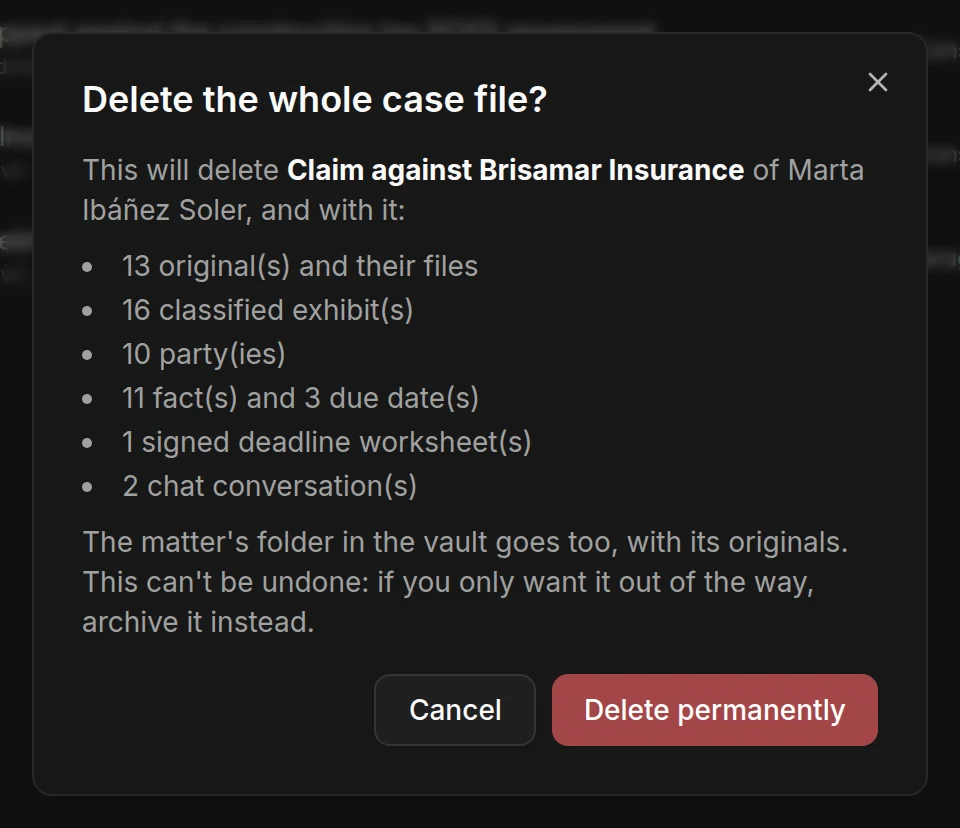
The originals and their files.
The classified exhibits.
The parties.
The facts and the due dates.
The signed deadline worksheets, if any.
The chat conversations about that case file, if any.
Click Delete permanently to confirm, or Cancel.
What happens to the matter's papers
It depends on whether the matter has other case files:
If this was the matter's only case file, the matter's folder in the vault is deleted too, with the client's originals.
If there are other case files built on the same matter, the papers are not touched, because they also belong to those case files. The proceedings go, not the paperwork. The facts stay in the matter and are no longer read from this case file.
The warning tells you which of the two cases applies before you confirm.