Exhibits are numbered by date, from the oldest to the most recent, and their folios run on continuously. While the case file is being prepared, it is best for that numbering to recalculate itself; once the codes have been cited outside, it is best for them not to move again. That is what the two modes are for.
Open
This is the mode a case file starts in. Every time an exhibit comes in or goes out, JUDLEX recalculates all the numbering and the folios, so that the order of the codes still follows the dates. A document dated 2 April that turns up late goes into its place, and the ones after it shift along by one number.
Protected
From the moment you protect it, no code already assigned moves again, even if documents are added or removed:
Anything that comes in later with a date after the last exhibit's gets the next number.
Anything that comes in with a date falling between two exhibits that are already numbered comes in as a sub-exhibit of the earlier one: A.7.1, A.7.2…
If an exhibit is deleted, its code is retired for good. It is not reused for another document.
Protect it once you have cited the exhibits in a pleading, index or register outside JUDLEX. Until then, leave it open.
How to protect it
Find the switch
In the Classified section of the case file page, above the table, next to the date buttons. Beside it, it says Open.
Turn it on
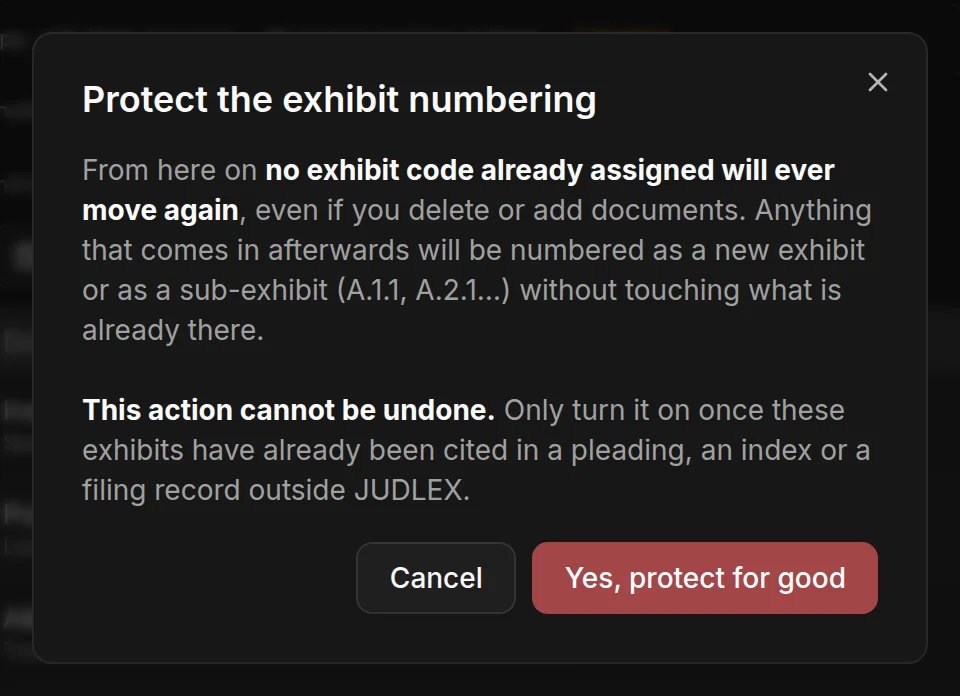
The Protect the exhibit numbering warning opens.
Confirm it
Click Yes, protect for good. The switch changes to Protected and is locked.
The exhibit format
Below the text that says which mode the numbering is in, you will see EU General Court exhibit format. When you hover over it, it explains where this way of numbering comes from (one code per document, continuous folio numbering and an index) and that Spanish courts do not require it.
The label for the code (A.7, Documento nº 7, Doc. 7 or 7.) is chosen in the case file details, and changing it does not renumber anything: Case file details.