Sometimes you need a matter's papers outside JUDLEX: to send them to a colleague, burn them to a disc or file them. Export the tree to a folder writes a copy of the matter's whole tree, with its folders and papers, into the folder you choose.
Open the matter
In the client file, expand the matter you want to export.
Click the export button
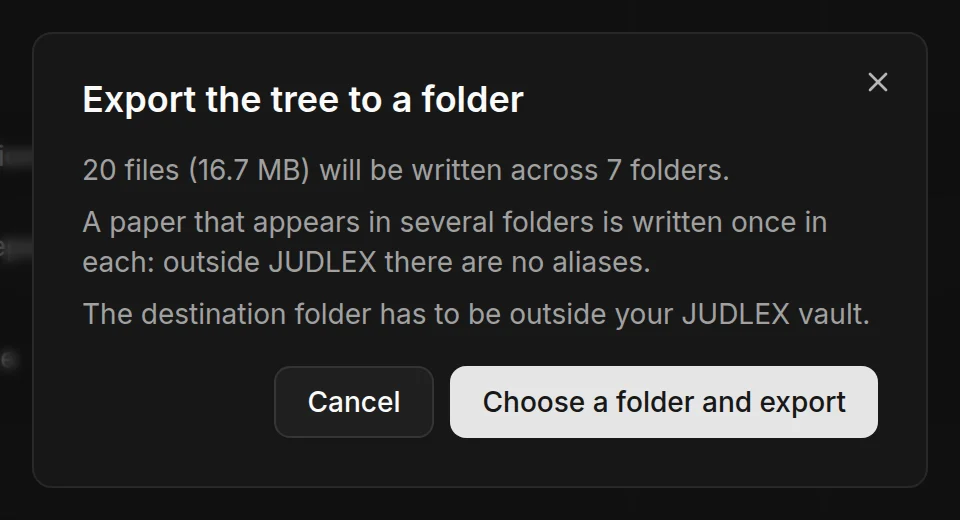
It is above the tree, on the right. JUDLEX first tells you how many files it is going to write, how much space they take up and in how many folders.
Choose the destination folder
Click Choose a folder and export and choose where. It has to be outside the JUDLEX vault.
When it has finished, a message tells you where it has been written and how many files.
What the copy looks like
The folders are the same ones you see in the tree.
Each paper's name starts with its date, so within each folder they also sort by date outside JUDLEX.
A paper that appears in two folders in JUDLEX is written once in each: outside JUDLEX there is no way for the same file to be in two places.
Your originals and your vault are not touched. The export is a copy.
Papers that are not included
Only papers that already have their own PDF are exported, that is, the ones taken out when a file was split. If any do not have one yet, JUDLEX warns you before it starts and leaves a README file in the destination folder listing what has not been included.