JUDLEX proposes where each paper goes, but the matter's tree is yours. Renaming and moving are the two corrections you will make most often, and both are available in the menu of each folder and each paper as well as by dragging with the mouse.
None of this copies or moves files on your disk. Moving a paper to another folder changes where it is shown, not where it is stored.
Creating a folder
At the root of the matter: click the new folder button above the tree, on the right.
Inside another folder: in that folder's three-dot menu, click New folder inside.
Type the Folder name and confirm.
A folder's menu
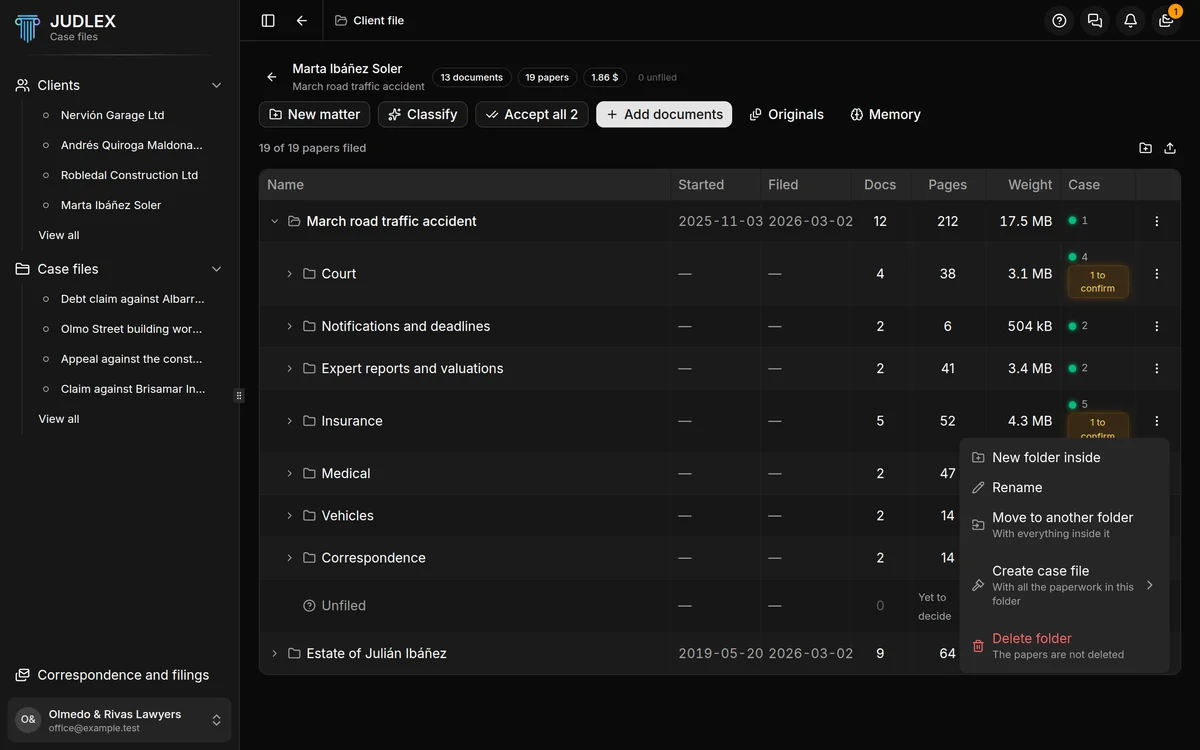
New folder inside: creates a subfolder.
Rename: changes its name.
Move to another folder: moves it, with everything inside it, under another folder or to the root of the matter. The folder itself and its subfolders do not appear in the list of destinations, because a folder cannot go inside itself.
Create case file: builds a proceeding with only the papers in this folder. We explain it in the case files section.
Delete folder: the papers inside are not deleted. They move up to the folder above, or go to Unfiled if there is no folder above. They are still visible and still in whatever case files they were in.
A paper's menu
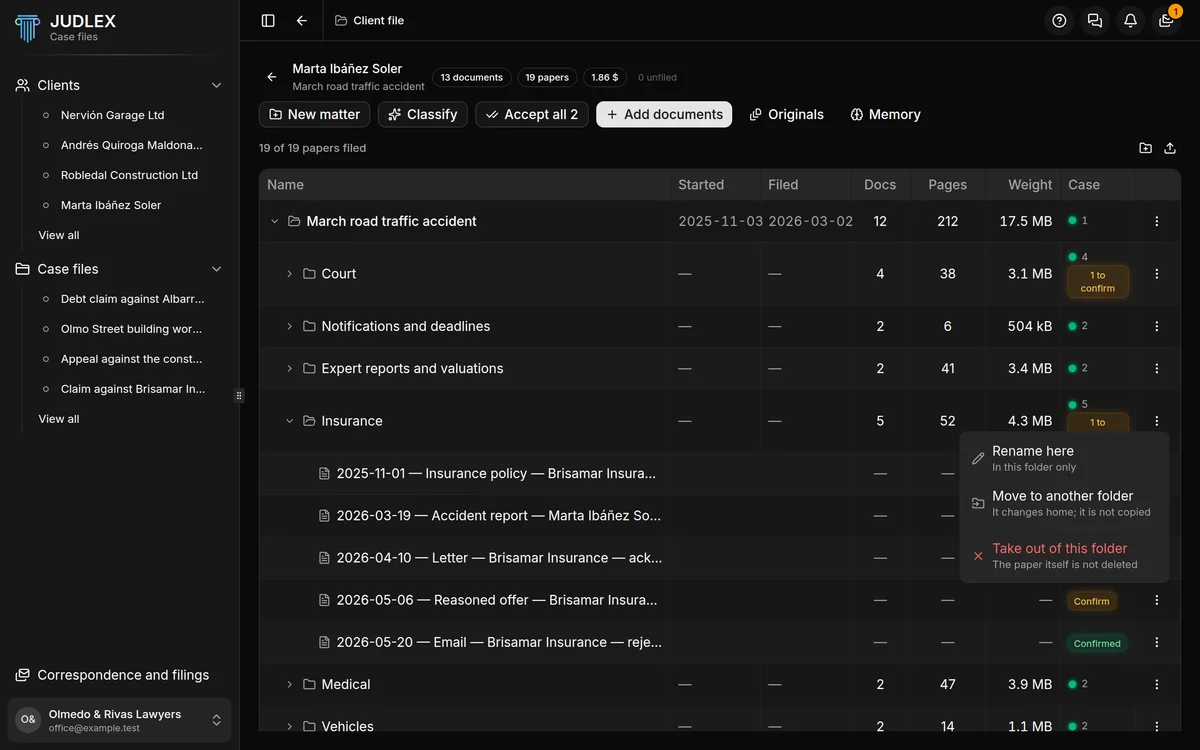
Rename here: changes the name the paper is shown under in this folder.
Move to another folder: moves it to another folder. It is not copied: the paper changes place.
Take out of this folder: removes it from there. The paper is not deleted; if it is not in any other folder, it goes back to Unfiled.
If JUDLEX filed the paper and you have not reviewed it yet, you will also see the amber Confirm label on its row: see Classify and identify.
The same paper can appear in two folders at once. In that case it carries the Also here mark: it is the same paper, not a copy, and there is still only one PDF.
By dragging
You can drag a paper or a folder in the tree and drop it onto another folder. While you drag, the destination folder lights up. It does the same as Move to another folder, faster when the destination is in view; the menu is handier when the tree is long.