Papers always go into a matter. It does not matter how they were given to you: loose, inside folders or in a single thousand-page PDF. JUDLEX copies them into its vault and leaves the original where it was, untouched.
Two ways to add them
By dragging. With the client file open, drag the files or folders from your desktop or file explorer and drop them anywhere on the screen. The whole window takes on a light tint while you drag. You do not need to aim at any folder in the tree: the papers go into the open matter, and where each one ends up is decided by classification.
With the button. Click Add documents, in the row of buttons at the top, and choose the files in your computer's window.
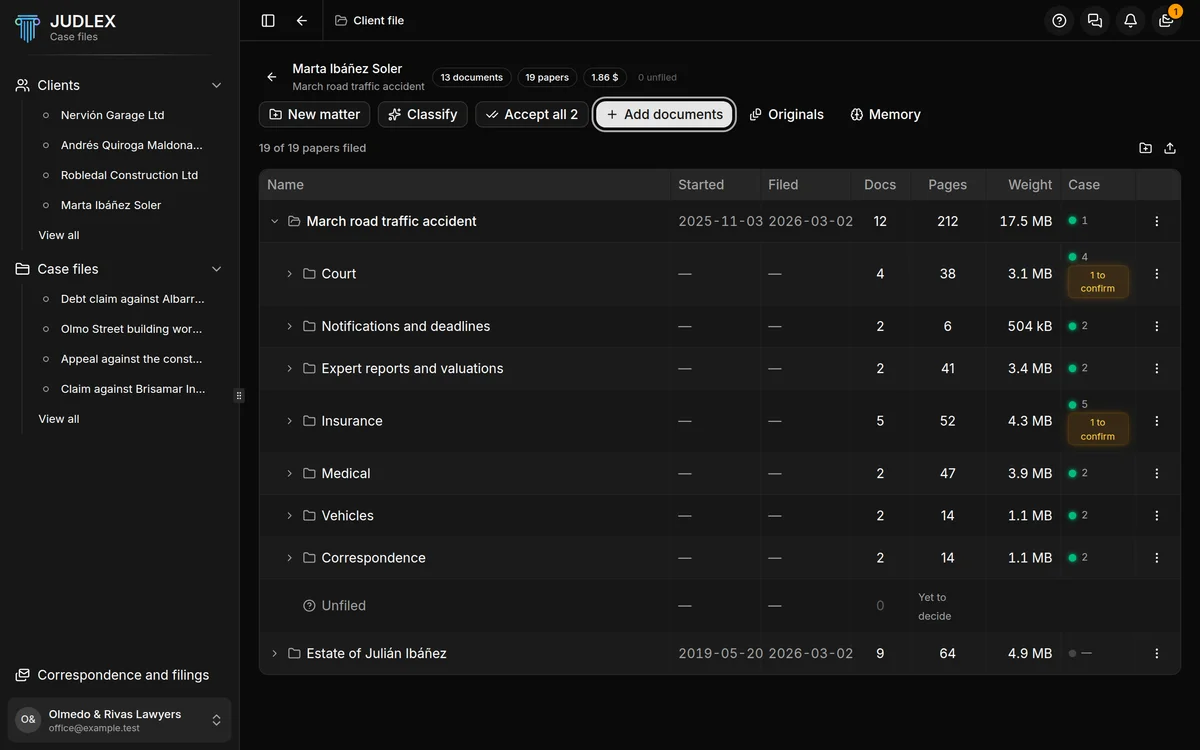
While they come in, you can see the progress at the top. When it has finished, a message tells you how many documents have been brought in.
If a paper was already there
JUDLEX recognises a file by its content, not by its name. If you bring in the same paper twice, even under a different name, it does not duplicate it: the final message tells you how many were already there.
What it does by itself when it receives them
With Automatic steps turned on, which is how it comes out of the box, JUDLEX does two things when it receives each paper, and neither costs money:
It takes the text the PDF already contains. PDFs produced on a computer (not scanned) carry their exact text, and reading it is free.
It files what it already knows into its folder. It is arithmetic, not a query to the artificial intelligence.
While it does this you will see "Getting … ready…" and "Filing what is already known…".
Anything that costs money always waits until you ask for it, and tells you the price first: reading scanned pages, splitting a dump into its documents and identifying whatever could not be recognised. If scanned pages are left unread after the papers come in, JUDLEX tells you and shows you where to start that: Read a file and split out its documents.
If a paper cannot be got ready
A password-protected or damaged PDF is saved all the same, but it cannot be got ready. JUDLEX tells you at the end, in a single message, without holding up the rest. You can see it in Originals and decide what to do with it.
What to do next
What has just come in are documents exactly as they were given to you. The next step is to split each one into the real papers it contains, with their date and type: Read a file and split out its documents. After that, Classify puts them in their folders at no cost: Classify and identify.